B2B
Enterprise
Saas
Cloud Migration Planning Platform
An enterprise product for analyzing existing IT environments and planning cloud migration. It helps migration architects understand infrastructure, organize resources into migration groups, validate dependencies, and compare deployment costs across cloud providers.
Role
Senior Product Designer
Areas of Responsibility
UX Architecture · User Flows · Interface Design · Prototyping
Period
2020 — 2022
Challenge
Migrate started as a technical prototype capable of collecting infrastructure inventory and calculating dependencies between resources.
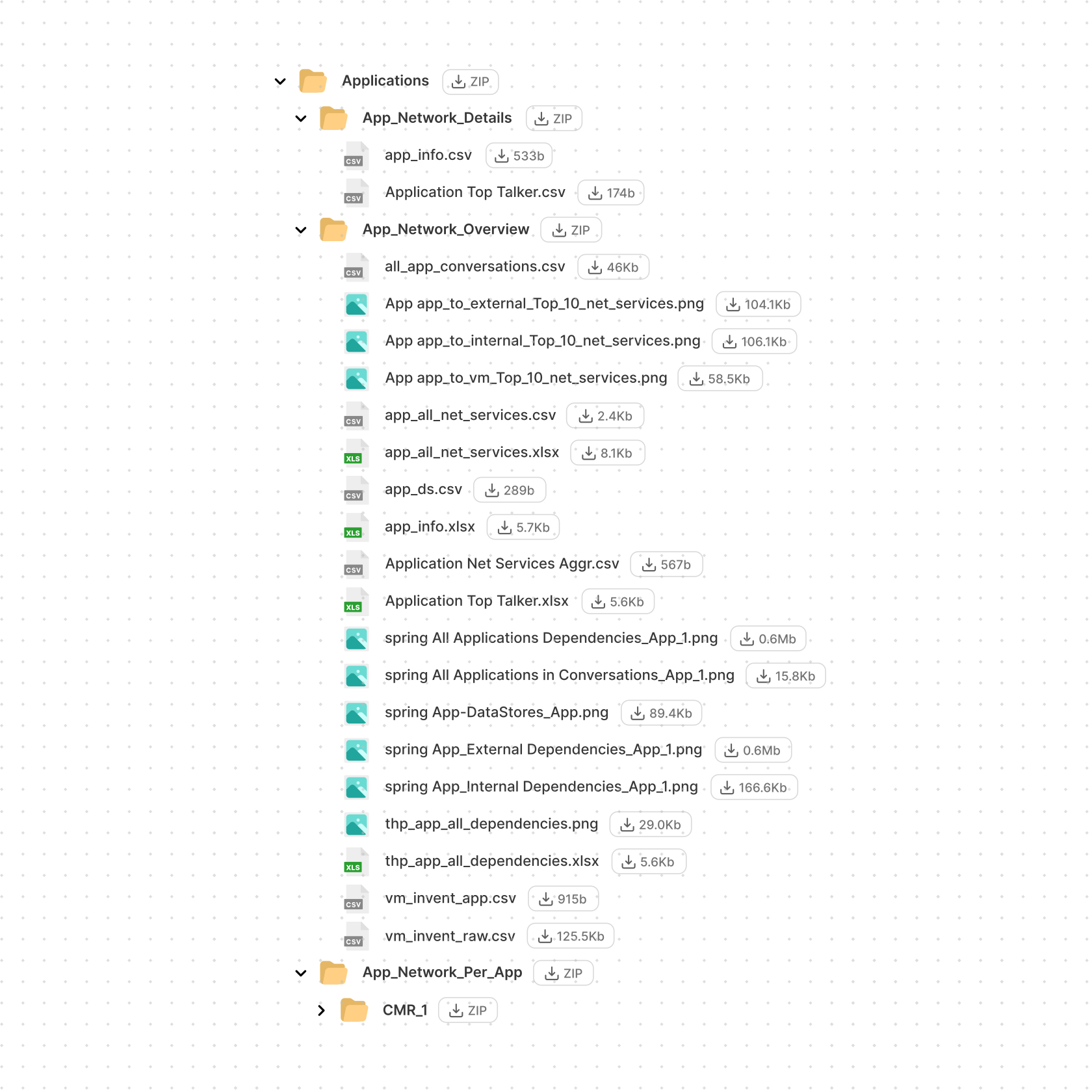
The analysis itself worked — but its output consisted of disconnected Excel files and PNG graphs. The data was there. The product wasn't.
The challenge was to turn the capabilities of that prototype into a coherent enterprise product for planning cloud migration.
My responsibility was to design the core user journey in detail — from understanding the existing infrastructure to building a migration plan.
Complexity
Before anything could be migrated, architects first had to understand the existing environment:
- which resources belonged to which applications
- how those resources communicated
- who owned them
- which technical and business constraints affected migration
Some of that information could be discovered automatically. Other data — particularly business context — had to be collected from multiple stakeholders on the client's side.
Only then could an architect decide:
- which resources should move together
- in what sequence they should be migrated
- which dependencies could affect the migration
- where the infrastructure should be hosted
- how much each option would cost
The core design problem was turning a large set of technical data, entities, dependencies, and decisions into a coherent workflow.
From Technical Capabilities to a Product Structure
I worked together with the Head of UX on the overall product structure. She defined the high-level concepts, while I translated them into detailed user flows, interaction patterns, and interfaces.
The main inputs were:
- product requirements from the PM
- capabilities and constraints of the technical prototype
- recorded interviews with migration architects
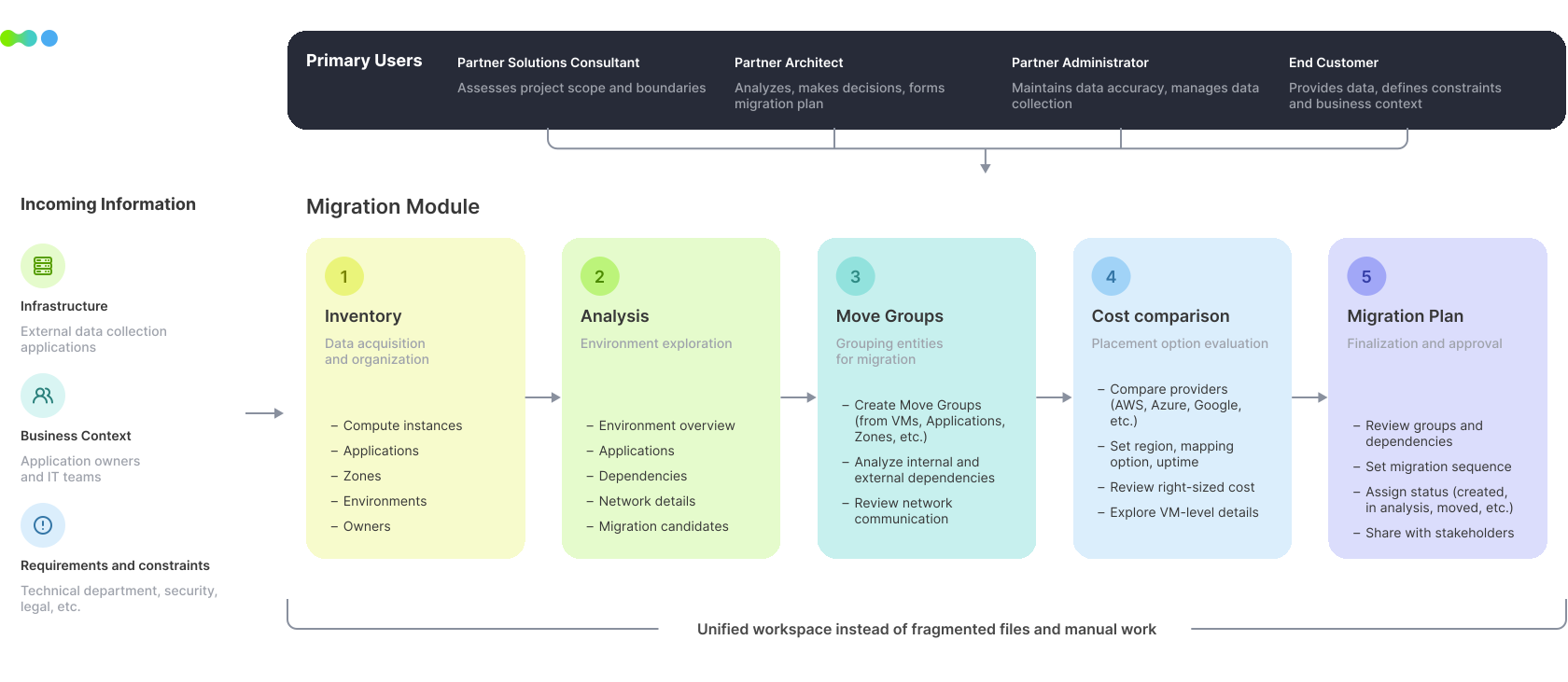
From these inputs, the core Migrate workflow gradually emerged:
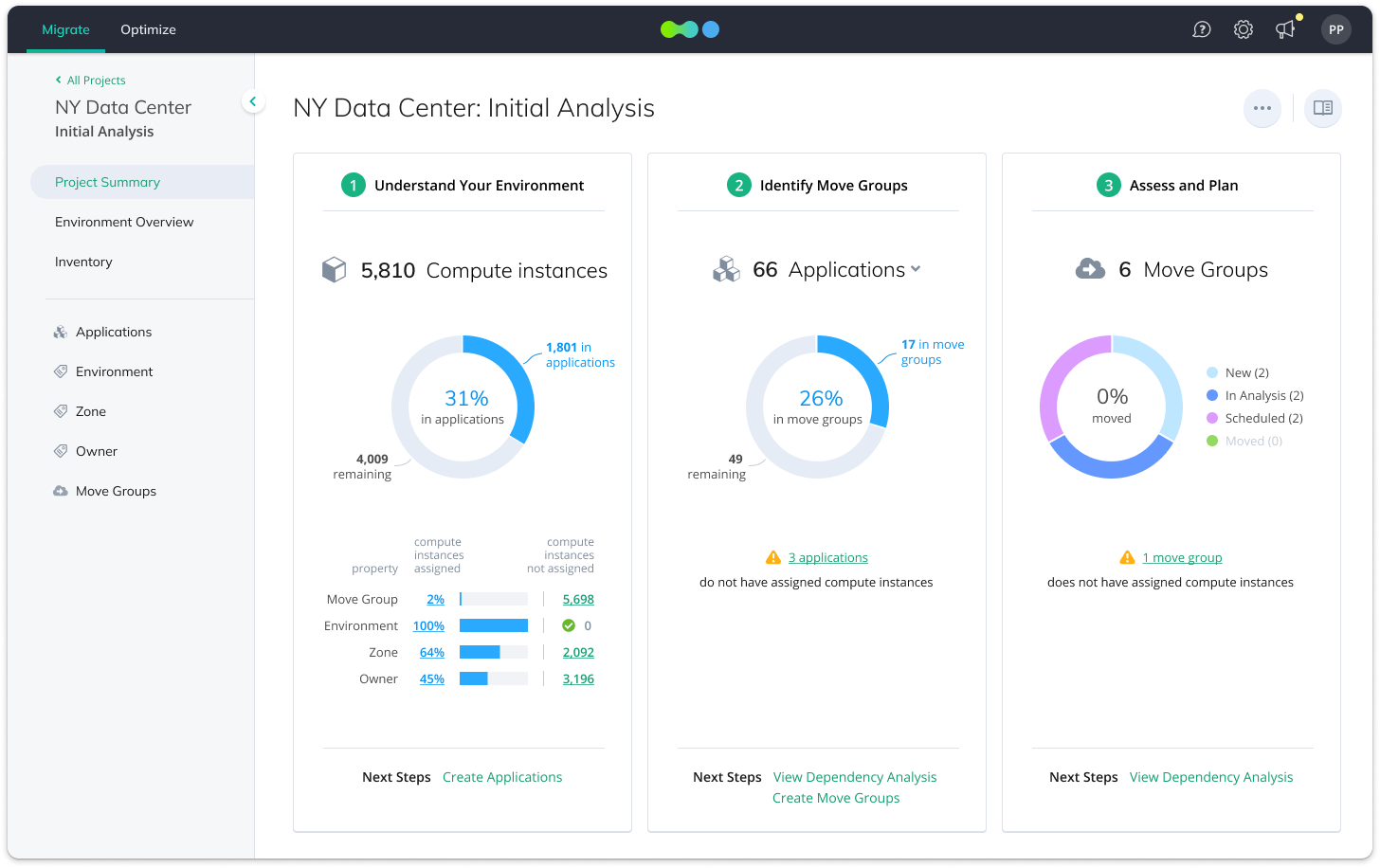
Inventory → Environment Analysis → Move Groups → Cost Comparison → Migration Plan
The Core UX Challenge
Migration architects needed to work with two levels of information at the same time.
The big picture
- What does the infrastructure consist of?
- How are its major parts connected?
- Where are the most significant dependencies?
The technical detail
- Which specific resources communicate?
- Through which IP addresses and ports?
- How much data is transferred between them?
Showing everything at once would turn the product into a collection of overwhelming tables. Aggregating too much would hide the information architects needed to make decisions.
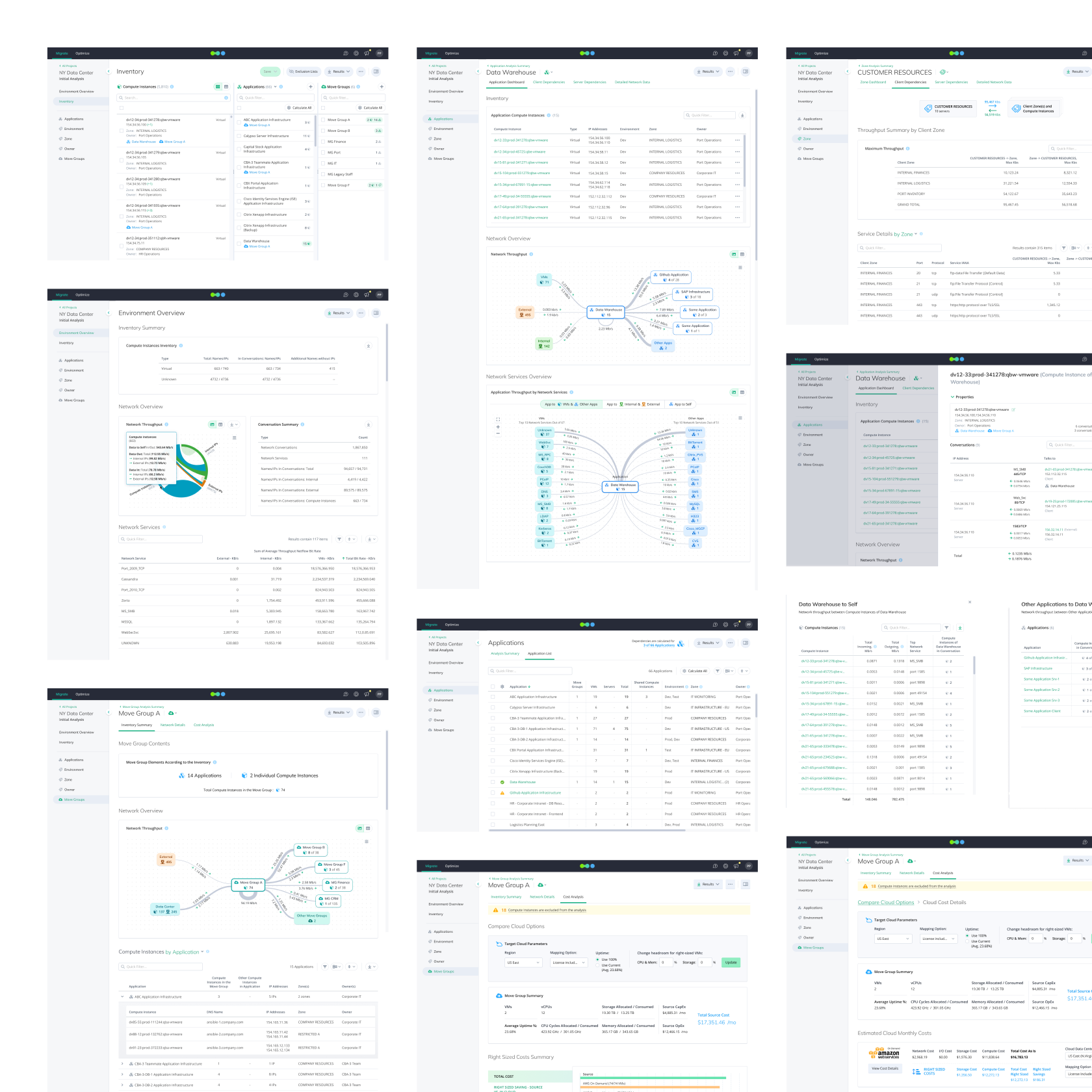
I designed the experience around progressive exploration: from an overview to verifiable technical detail.
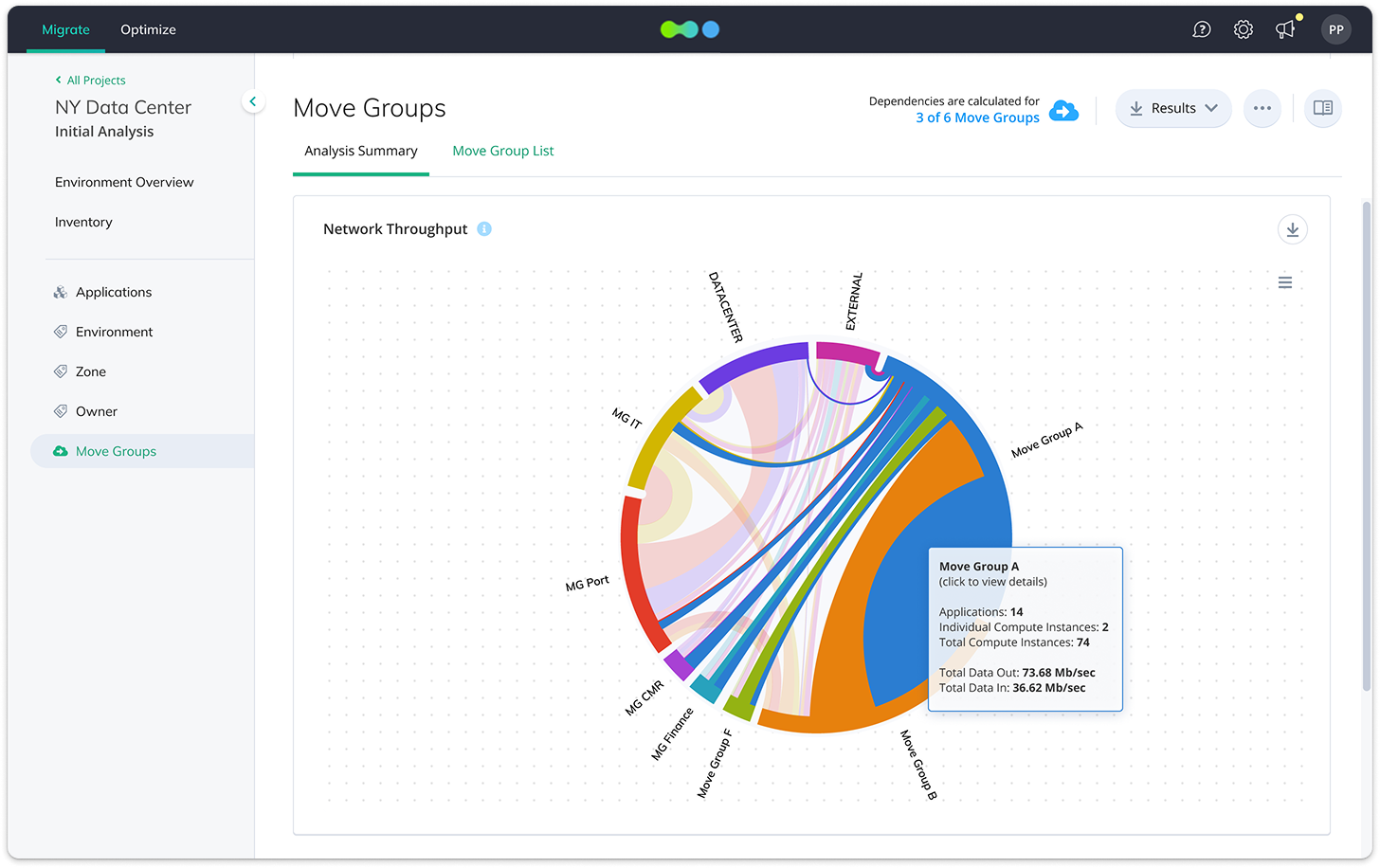
Visualizations helped users understand structure and identify important relationships. Every element remained interactive: an architect could select an object and drill down into the underlying data. Whenever exact values mattered more than the visual overview, charts could be switched to a tabular representation. The goal was not to choose between visualization and raw data — but to make both available at the right level of detail.
From Infrastructure to a Migration Plan
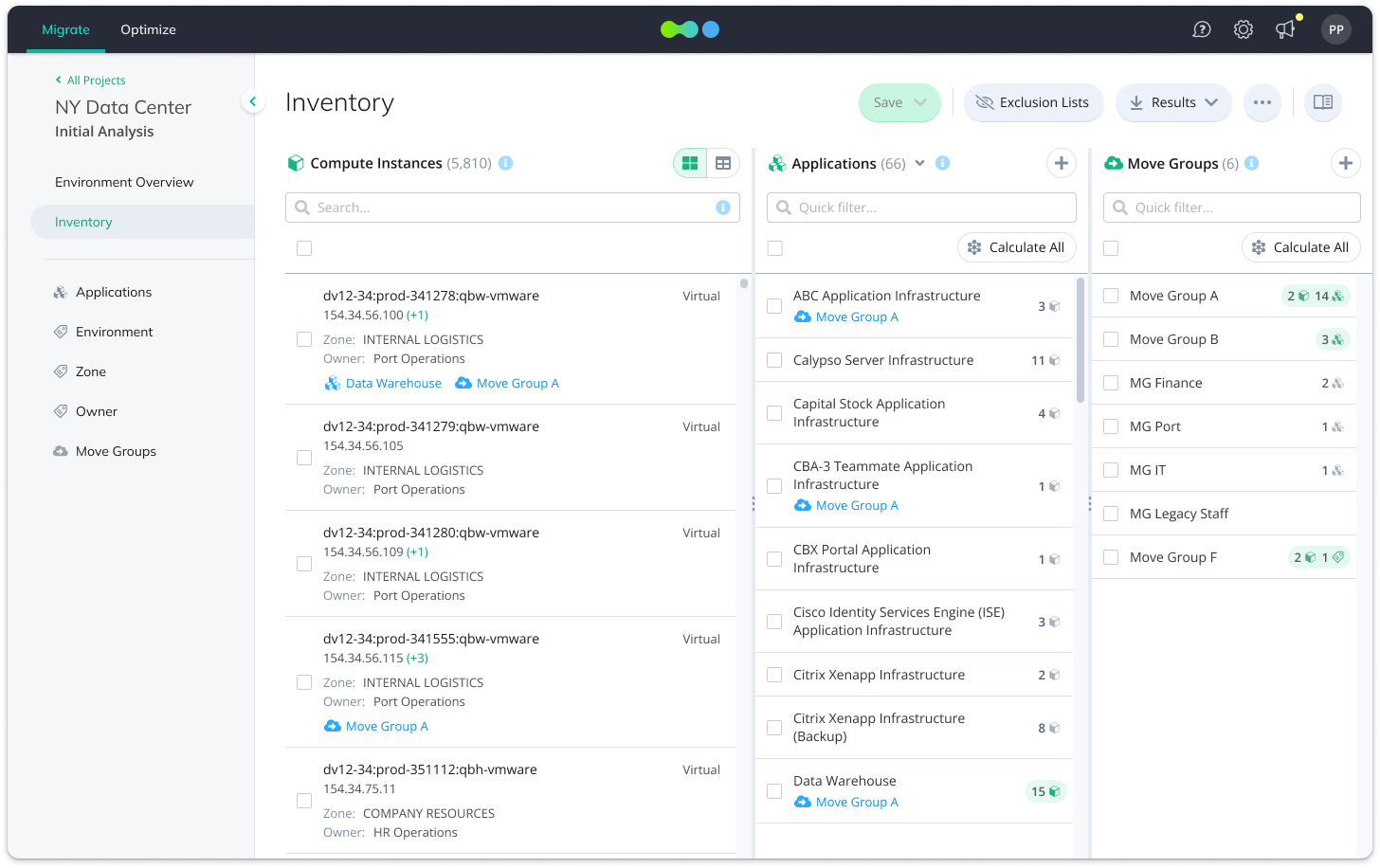
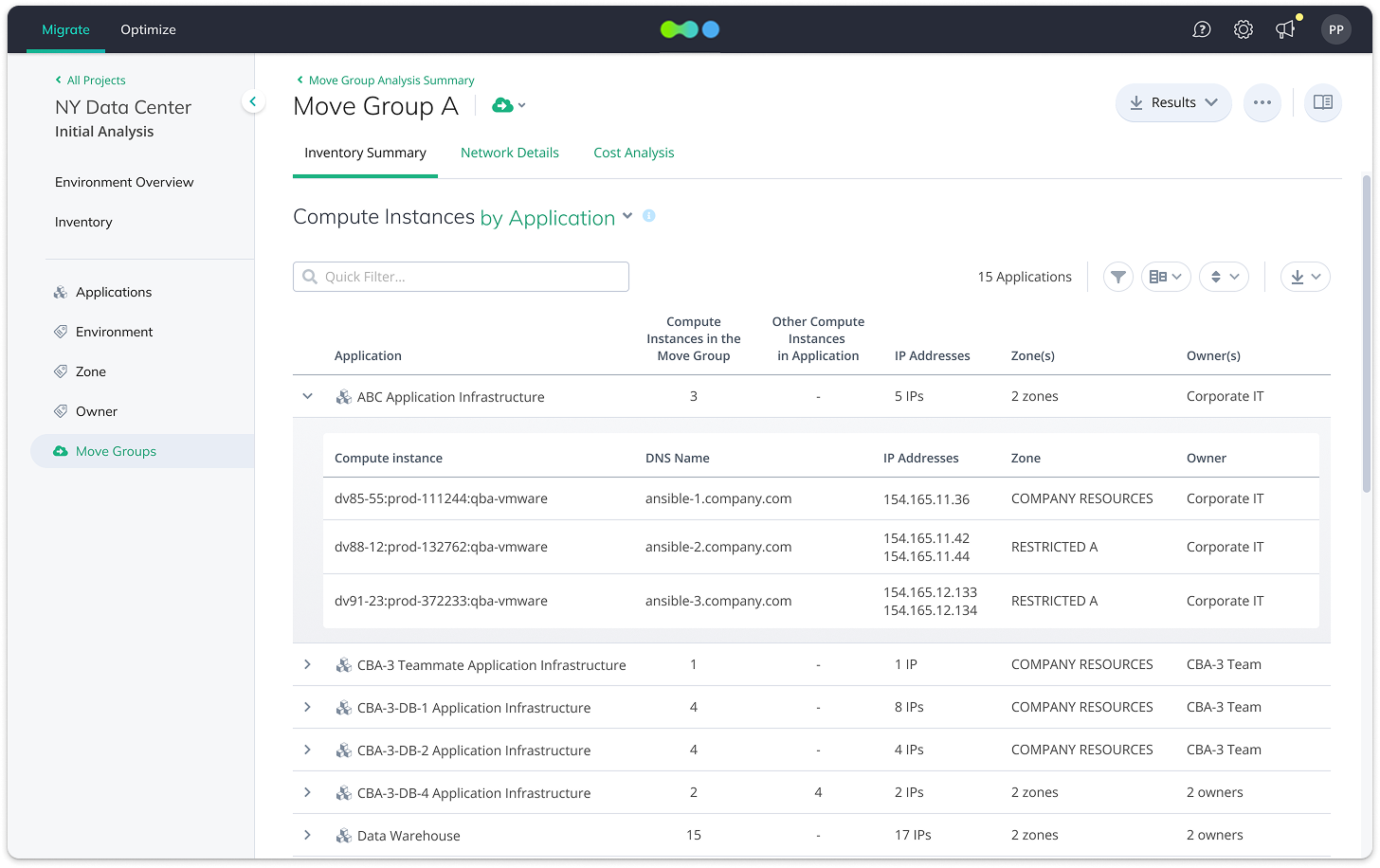
In Inventory, architects explored the source infrastructure and created Move Groups — sets of resources intended to be migrated together. A Move Group could be assembled from individual compute instances or from higher-level entities such as Applications and Zones. Once a group was created, the system calculated its dependencies.
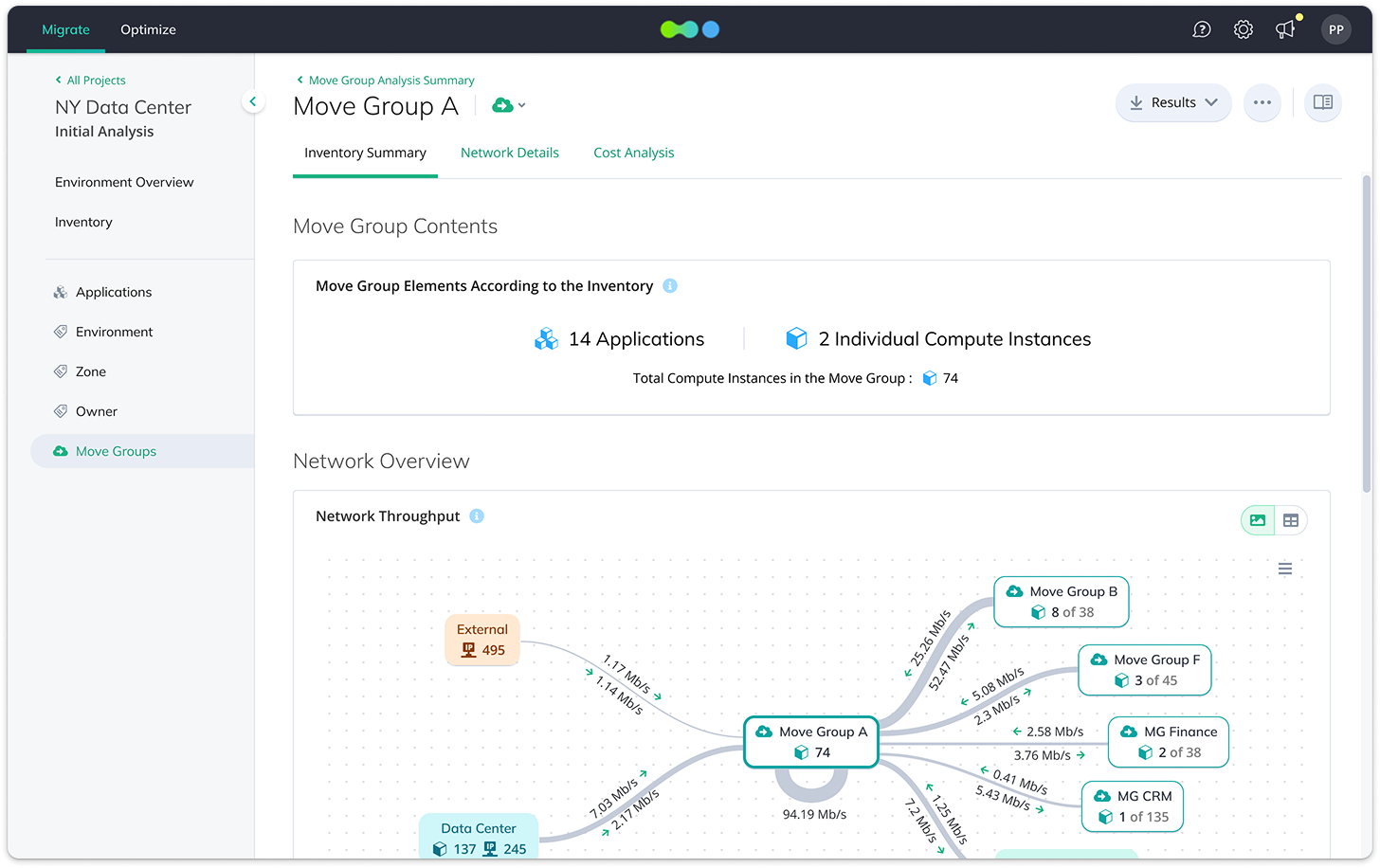
At the overall Move Group level, architects could see relationships between groups. Inside an individual group, they could inspect:
- internal dependencies
- connections to resources outside the group
- network communication
- IP addresses and ports
- transferred data volumes
This connected two different representations of the migration. At the logical level, architects worked with Applications, Zones, and Move Groups. At the technical level, they could drill down to individual infrastructure resources and verify whether a proposed group could actually be treated as a single migration unit.
Cloud Cost Analysis
Once a Move Group had been defined, the next question was where to run it in the cloud.
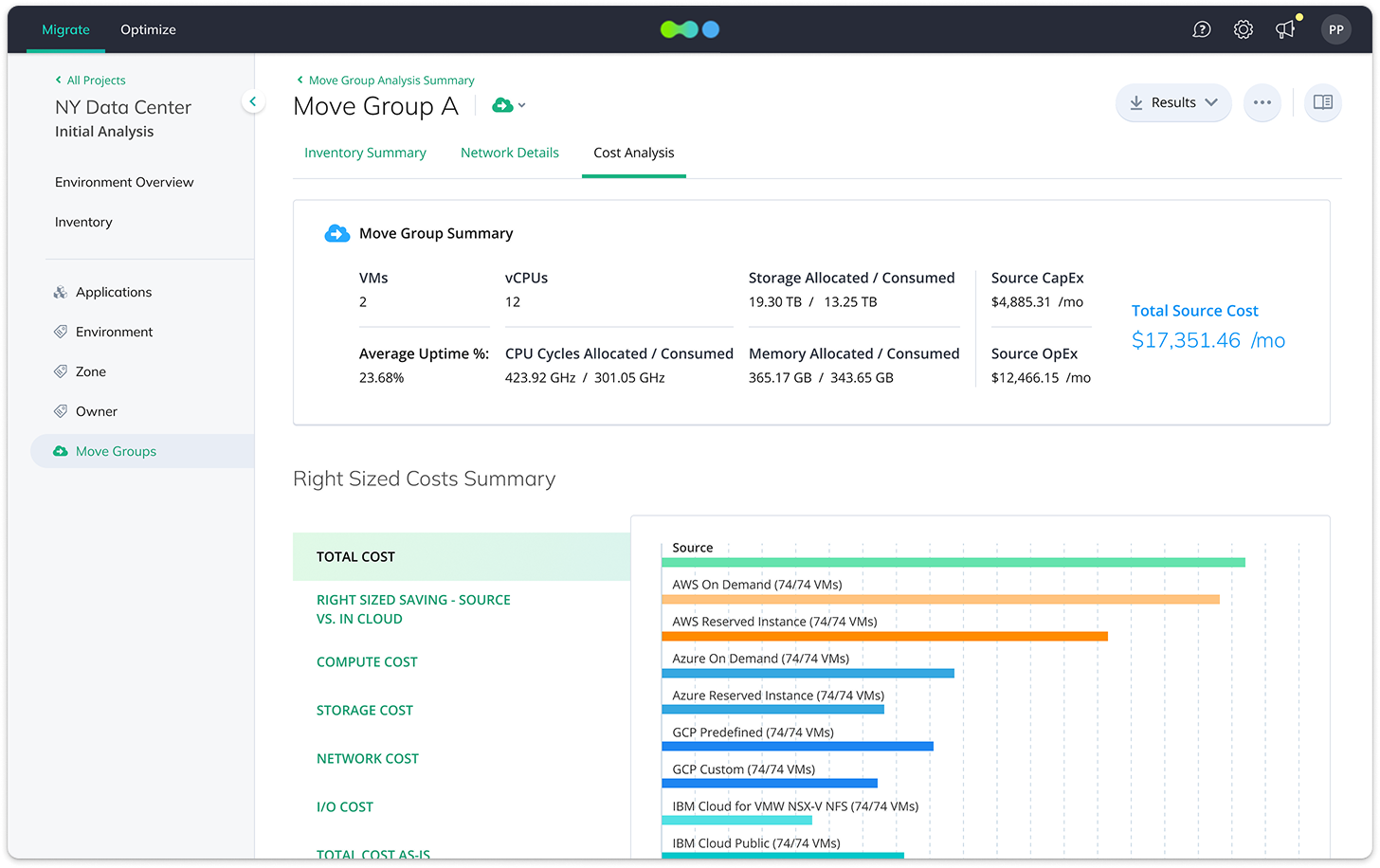
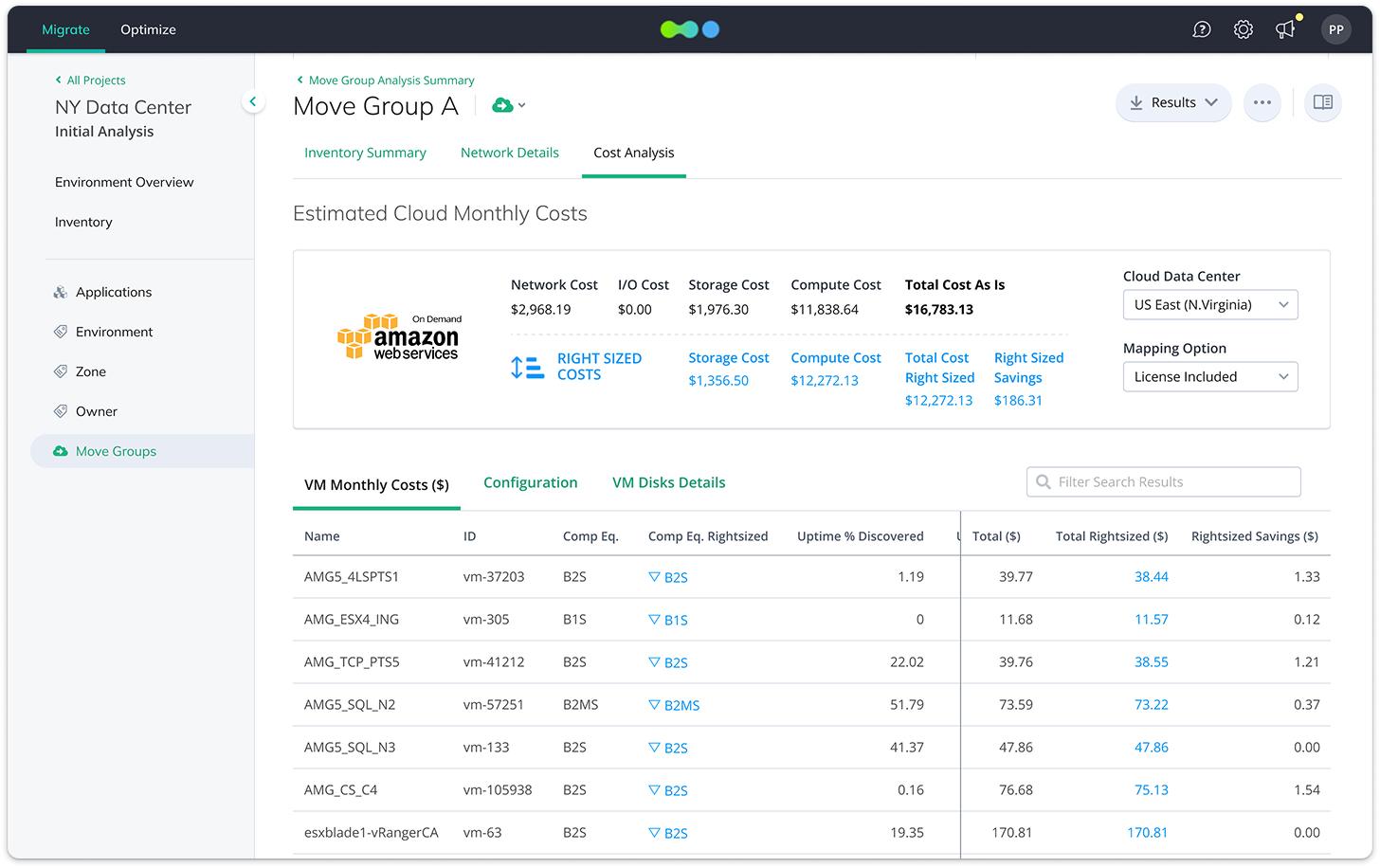
In Cost Analysis, users could compare the estimated cost of running the same group across cloud providers including AWS, Microsoft Azure, Google Cloud, IBM Cloud, and others. Calculations could be adjusted using parameters such as: Provider, Region, Mapping Option, Uptime.
The comparison worked across several levels of detail. Users could start with the total cost of a Move Group, open a specific deployment option, and then drill down to individual VMs to inspect the proposed configuration and cost of each one.
This meant architects could do more than identify a lower-cost option. They could verify how the estimate was constructed.
Design Sprints for Ambiguous Problems
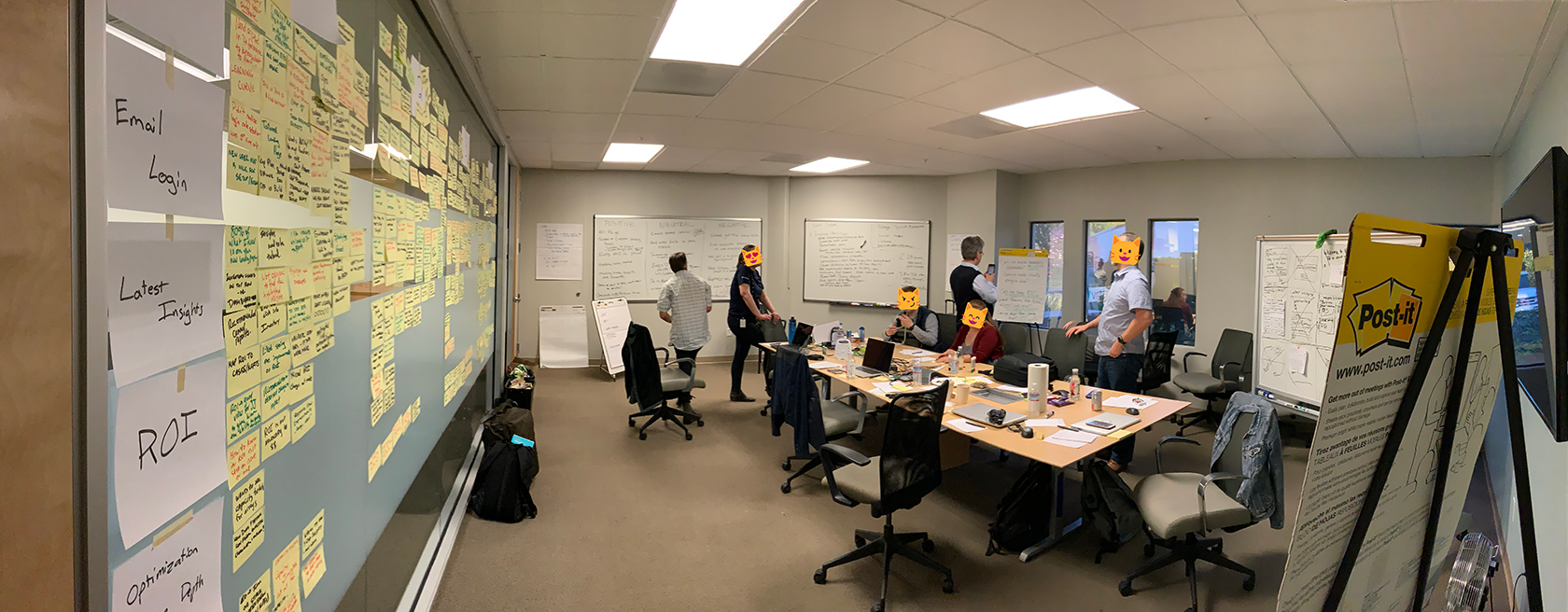
Several parts of the product did not have an obvious solution. For those areas, we used Google Design Sprints to bring product, design, and technical expertise together around the same problem.
The format helped us explore alternatives quickly, align on constraints, and validate different approaches before investing in detailed interface design. For a technically complex product, this was particularly valuable: many UX decisions could not be separated from how the underlying system actually worked.
Outcome
Migrate evolved from a technical prototype producing Excel files and PNG graphs into a production enterprise product used by real customers.
Within the project, I designed the migration architect's core workflow: understand the existing environment → analyze dependencies → define Move Groups → compare cloud deployment options → prepare a migration plan
The actual infrastructure migration itself remained outside the product. However, Move Group statuses allowed users to track migration progress and maintain continuity between the plan created in Migrate and the work happening afterward.
The project team during the design sprint